

Your team'saccessibility expert,always available
AllyUp leverages AI-assisted analysis to help product, engineering, and compliance teams foster an inclusive culture that builds high-quality, accessible experiences from the ground up, moving you beyond reactive, slow manual audits.
AI chat and scanning trained on your own design system and brand guidelines, so answers are specific to your organization, not generic WCAG examples. Automated scanning, code remediations, behavioral tests, screen reader simulation, and compliance reporting, all in one app. The AllyUp MCP server brings those same answers into VS Code, Cursor, Claude Code, and Windsurf, without leaving your editor.
 Newsletter
Stay ahead of the accessibility curve
Stay ahead of AI and accessibility with practical tips every couple of weeks. No spam, and you can unsubscribe anytime.
What accessibility professionals are saying
This is game-changing, Jake. Shifting accessibility left into wireframes, with AI catching WCAG issues before code, is the proactive move teams need, especially with EAA deadlines looming. No more expensive last-minute fixes.
What stood out most is how it uses an organization's design system and guidelines to provide more relevant accessibility guidance instead of generic WCAG answers. It feels thoughtfully built for real team workflows.
An interesting and exciting alternative to all the other tools available. A well-thought-out and very useful tool. Well done!
This is super exciting.
Excellent perspective. Building accessible AI from the start benefits everyone.
I was actually looking for something like this to run against an app I'm working on.
The 4 problems AllyUp solves
Time lost searching
Your team spends hours combing through documentation, guidelines, and forums. AllyUp answers in seconds, grounded in actual standards.
Inconsistent guidance
Different people get different answers. AllyUp gives every team member the same precise, standard-grounded response, every time.
Late-stage surprises
Issues caught in design cost 1× to fix. The same issue after launch costs up to 30× or more. AllyUp helps you catch them early, where fixing is cheap.
Specialist costs don't scale
Expert consultants charge €5,000–€15,000 per engagement, and you need one for every sprint or question. AllyUp puts 80–90% of that expertise in your hands, every day.
AllyUp learns your design system, not just the standard
Most AI tools answer from generic WCAG documentation.
AllyUp goes further: upload your design tokens, Figma exports, or style dictionary and configure your AI Organisation Profile that shapes how the AI responds for your team.
Every answer reflects your actual color system, your component names, your brand rules.
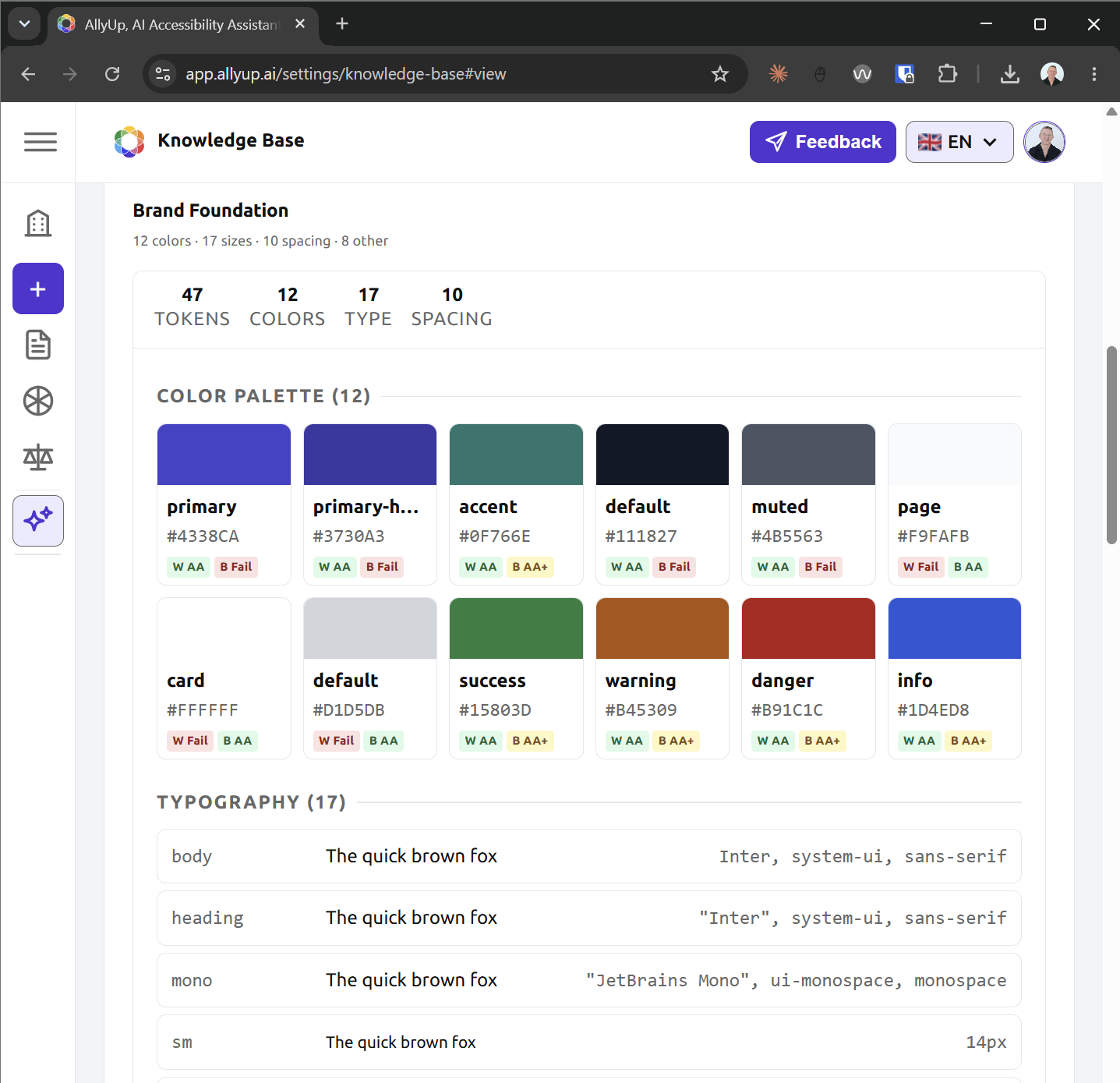
Your knowledge base
Upload your design system files, component library, Figma exports, or style dictionary. AllyUp reads them as permanent context for every chat and scan on your account.
Your AI Organisation Profile
Write instructions that define how AllyUp should behave for your organisation. The expert-crafted default prompt ships with EAA, Section 508, and ADA Title III compliance context, EN 301 549 legal framing, and WCAG 2.2 AA enforcement already baked in. Load it and customise, or write your own from scratch. Either way, global regulatory awareness is there from day one.
Your tokens, tested
AllyUp audits your actual design token pairs directly against WCAG contrast ratios. You see which specific tokens fail, not abstract hex values.
Instant accessibility guidancefor your whole team
Stop hunting through WCAG docs. Stop waiting for an expert to be free. AllyUp puts 30+ years of accessibility expertise into a chat interface your whole team can use, right now.
AI Chat, Scanning & Code Fixes
Ask anything about Design, UX, WCAG 2.2, EN 301 549, Section 508, or WAI ARIA, and get a precise answer in seconds. Scan any URL in Quick or Full mode, and get AI-generated code fixes for every violation found.
Explore featuresFull Compliance Toolkit
PDF accessibility scanning, Accessibility Statement Wizard, RGAA 4.1.2 support, screen reader simulation, alt text generation, and GitHub PR comments, everything your team needs in one place.
See how it worksStop searching
Start building
Your team is wasting time wading through WCAG docs, waiting for an expert's calendar to free up, or shipping components they're not sure are actually compliant.
AllyUp gives your team expert accessibility answers in seconds, not hours, not days.
With the European Accessibility Act in force across the EU and ADA Title III lawsuits at record highs in the US under Section 508 obligations, your team can't afford slow, inconsistent guidance. AllyUp is always available, always consistent, and always grounded in the standards that matter.
When accessibility is your business
AllyUp is not only for teams building their own products. For the experts and agencies who audit and remediate them, it is a force multiplier: faster reports, consistent findings, and defensible deliverables grounded in the standards.
Solo experts and freelance auditors
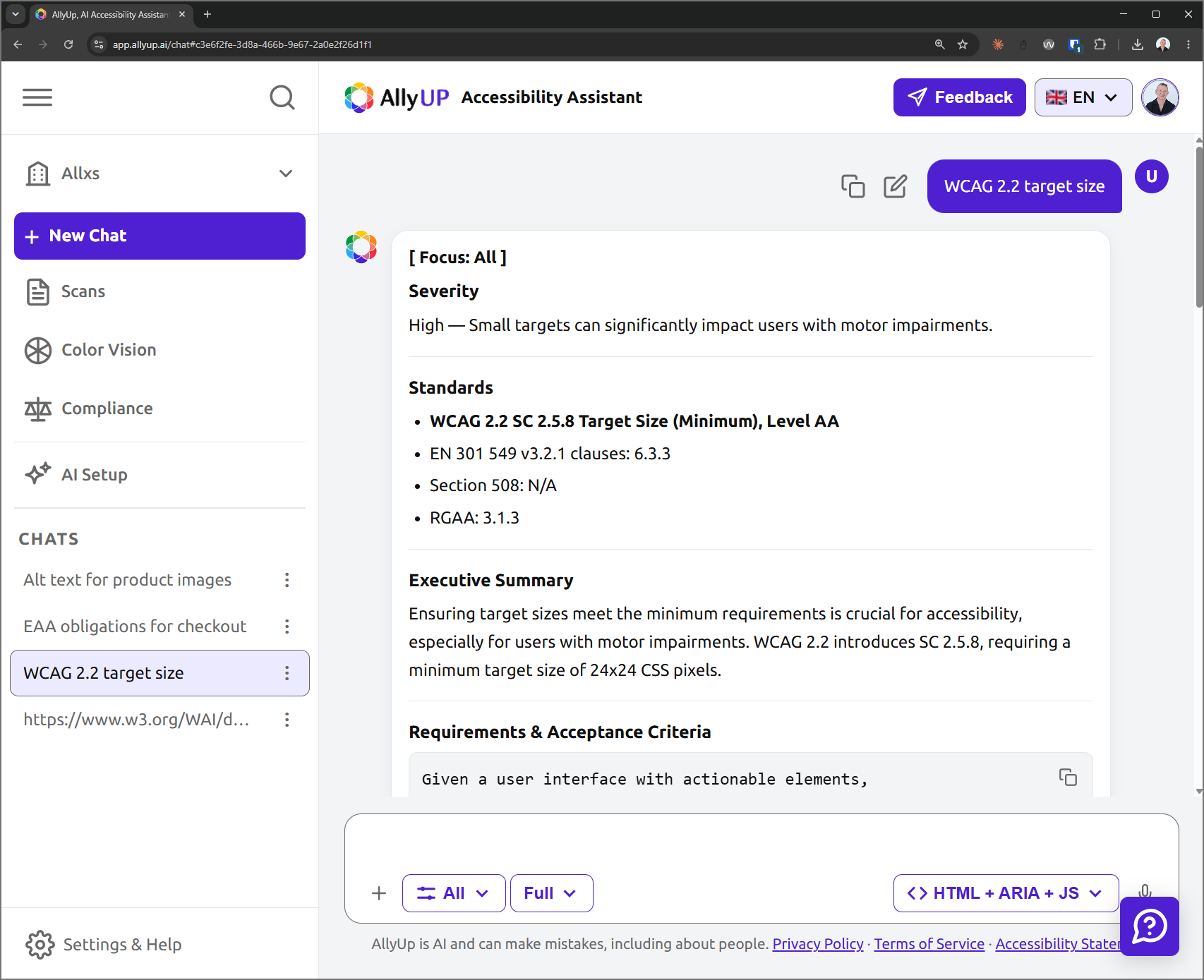
You already know WCAG. AllyUp turns a scan into a client-ready report in minutes, with every finding mapped to WCAG 2.2, EN 301 549, Section 508 and RGAA clauses, plus the severity, the reason it matters, who it affects, and clear acceptance criteria. Spin up a separate AI Organisation Profile for each client's design system, generate remediation code and accessibility statements, and hand over defensible deliverables faster.
Explore featuresAccessibility audit and remediation companies
Give every auditor, junior or senior, the same standard-grounded reasoning: why each issue matters, for whom, and the acceptance criteria to sign it off. A shared organisation workspace, roles, and one knowledge base keep findings consistent across your whole team, so reports read the same no matter who ran the audit, new hires ramp faster, and each auditor gets more done.
See how it worksThree tools your team can open every morning
AllyUp ships three dedicated tools, each tuned to a different question and each linked to the same reports, triage, and audit trail.
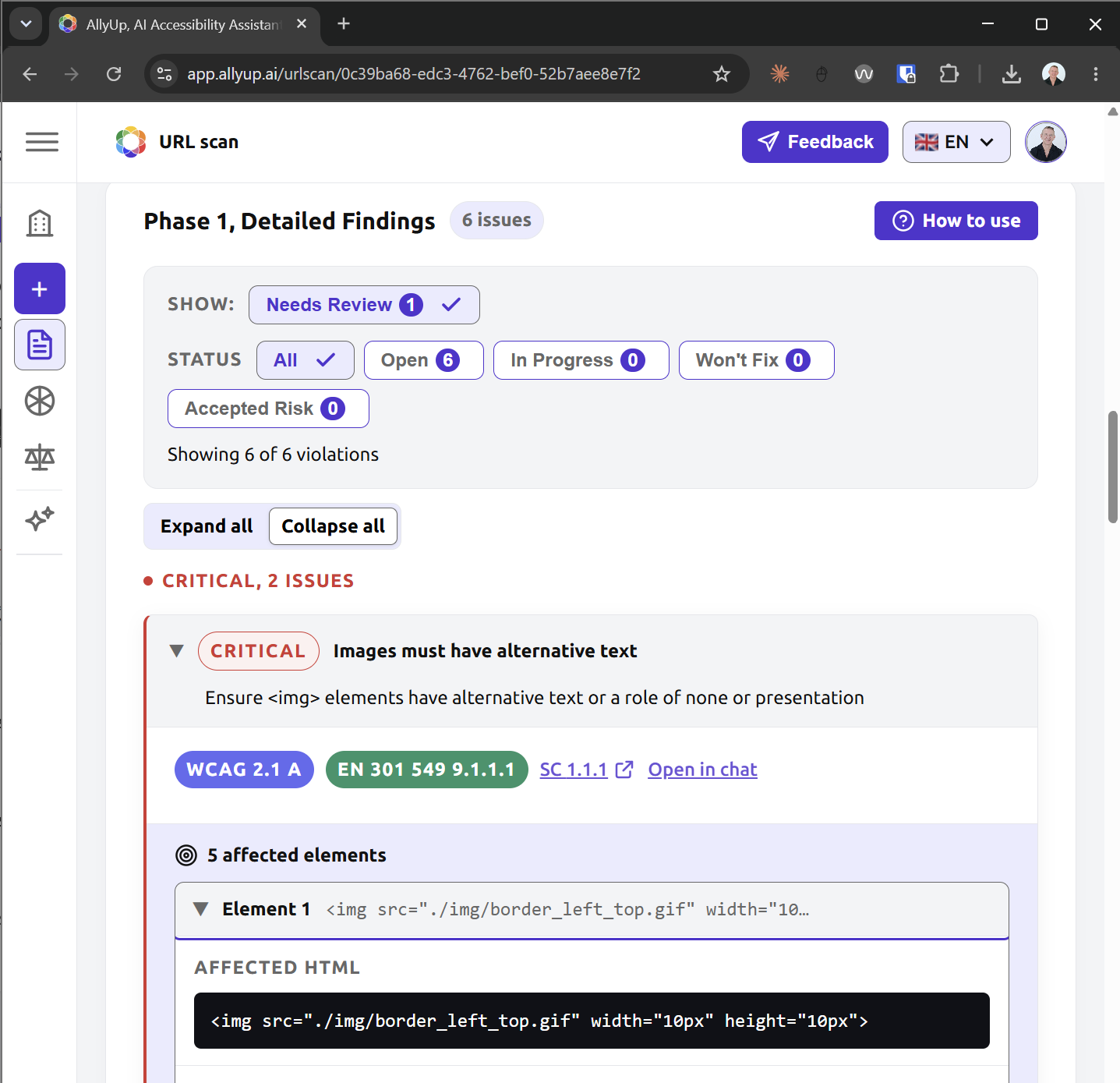
URL Scan & Report
Paste a URL, then work inside a report with a Composite Score panel tinted by severity, KPI tiles, five-phase findings, root-cause clusters, a screen-reader narrative, and a colourblind preview. Auto-compares against your most recent prior scan.
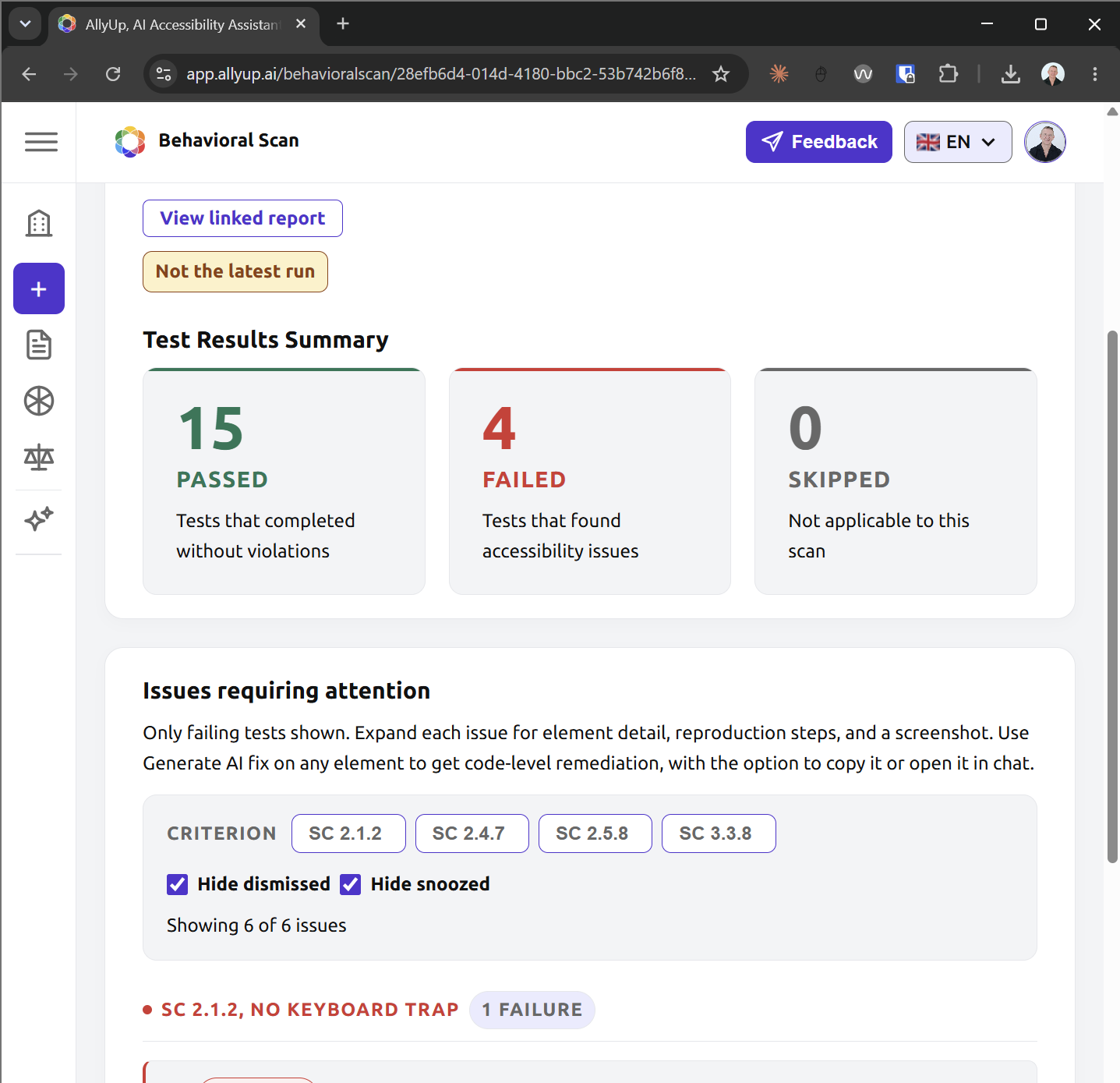
Behavioral Tests
A dedicated tab inside Scans that drives real browsers against many routes at once and tests the six new-in-WCAG-2.2 success criteria static scans miss. Cookie banners auto-dismiss, per-route screenshots are captured, and triage works the same way as in the URL Report.
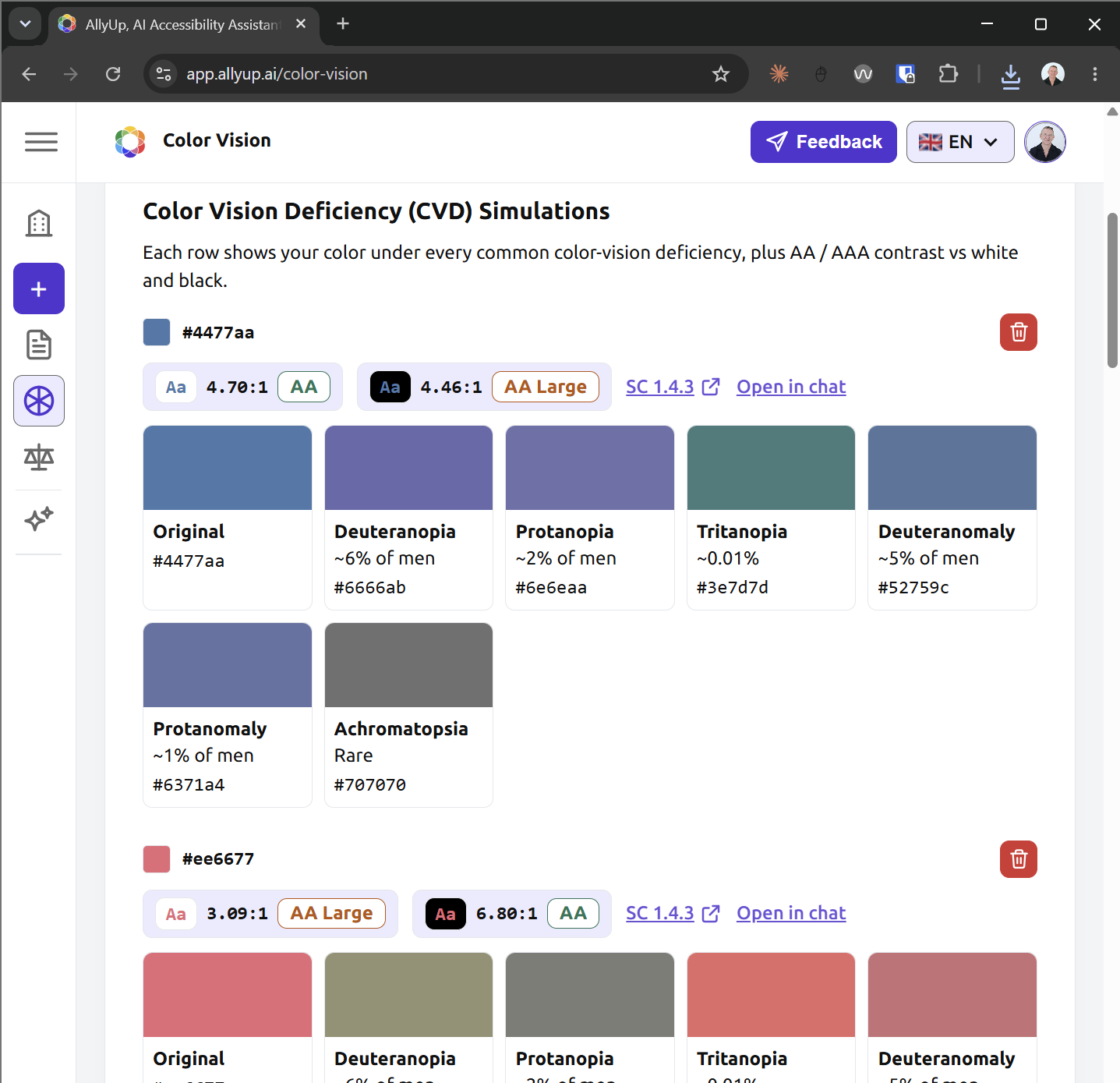
Colour Vision Studio
Build, simulate, and ship accessible palettes. NxN contrast matrix, Confused Pairs detection across six CVD types, AI palette reports in your locale, exports to CSS, JSON, or Figma tokens, and 12 ready-made preset palettes.
One organisation, every teammate in sync
Create an organisation, invite your team, and everyone works from the same knowledge base, AI Organisation Profile, and reports. Roles keep ownership clear, so nothing changes without the right permission.
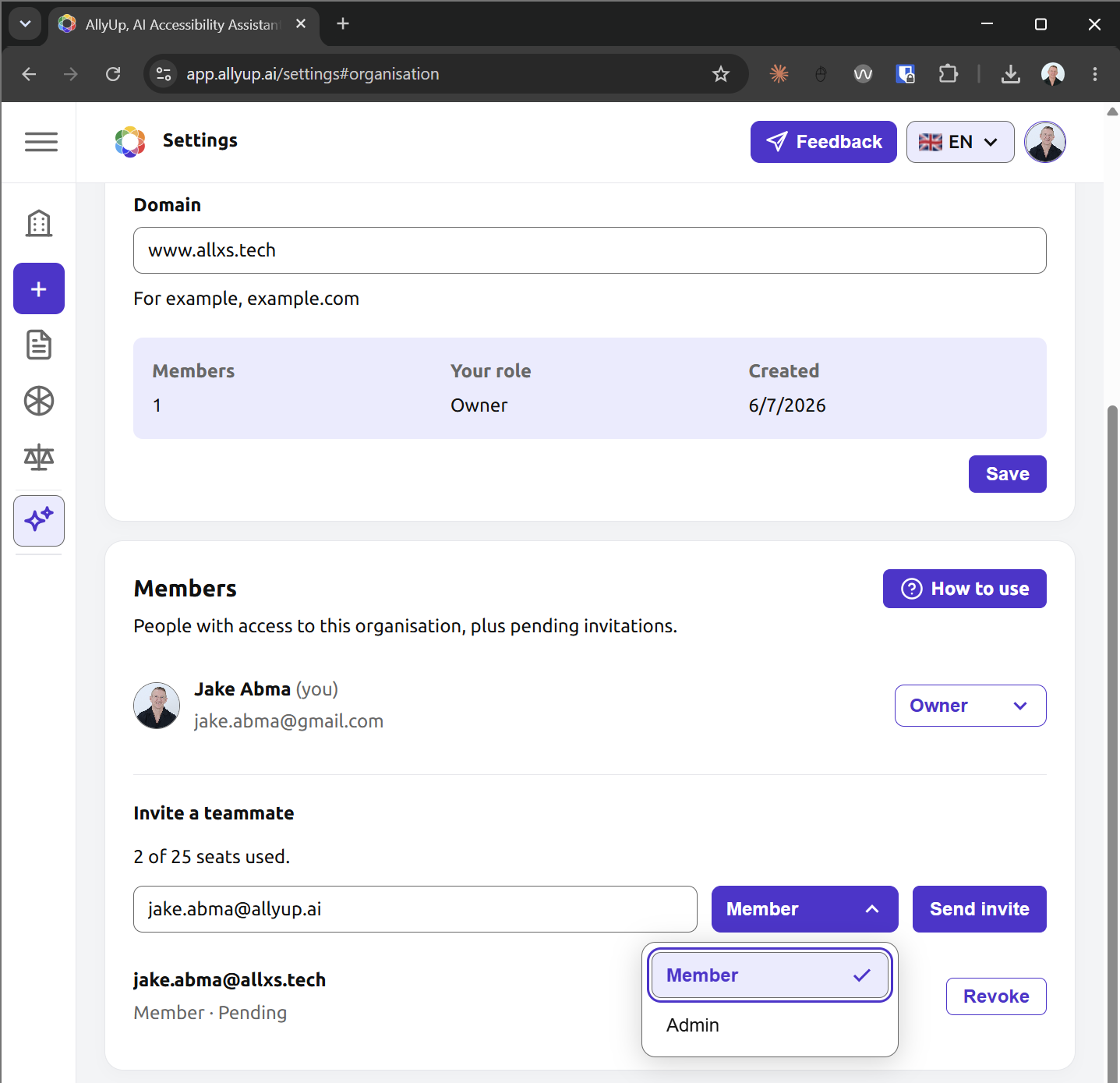
Shared organisation workspace
Your knowledge base, AI Organisation Profile, component library, scans, and reports all live at the organisation level, so every teammate sees the same context and the same audit trail.
Invite teammates by email
Send an invitation and new members join with a single click. Belong to more than one organisation and switch between them whenever you need.
Owner, admin, and member roles
Owners and admins configure settings and manage members. Members get view access to everything, so configuration stays in the right hands.
Jake Abma,
Strategic Accessibility Consultant and W3C Invited Expert
With 30+ years in design and technology, Jake has served as Accessibility Lead at ING Bank across 40+ countries, contributed to WCAG 2.1, WCAG 2.2, WCAG 3, and the W3C Accessibility Maturity Model.
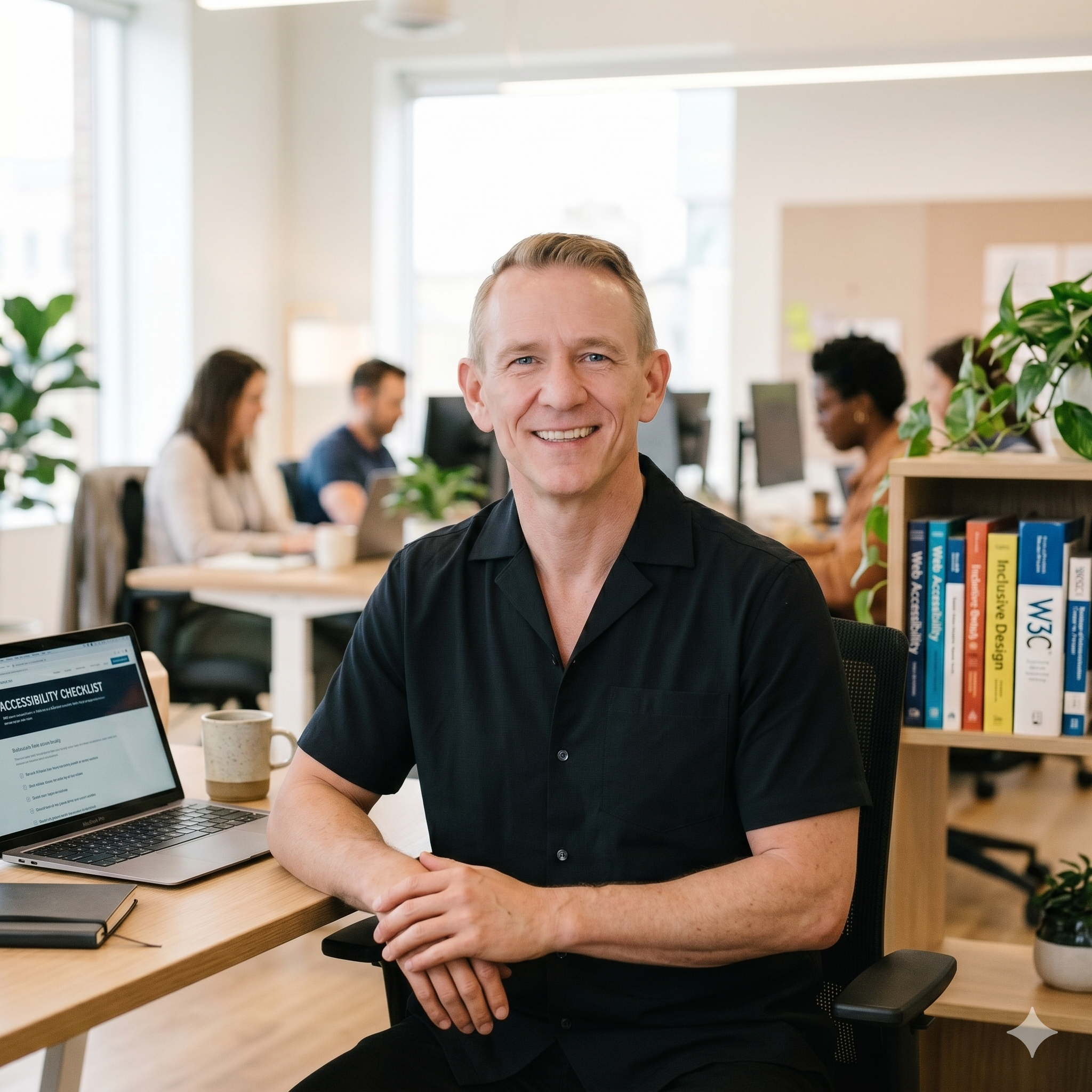
“When more than a decade ago his mother got a thrombosis and he saw that she needed to learn everything all over again and had serious problems using digital products. Jake realised how important it is for those products to welcome everyone by design. Accessibility isn't just about code, it's about people.”
The numbers that matter
Trusted by, and built on the standards of