
Simple by design
From question to answer
in seconds
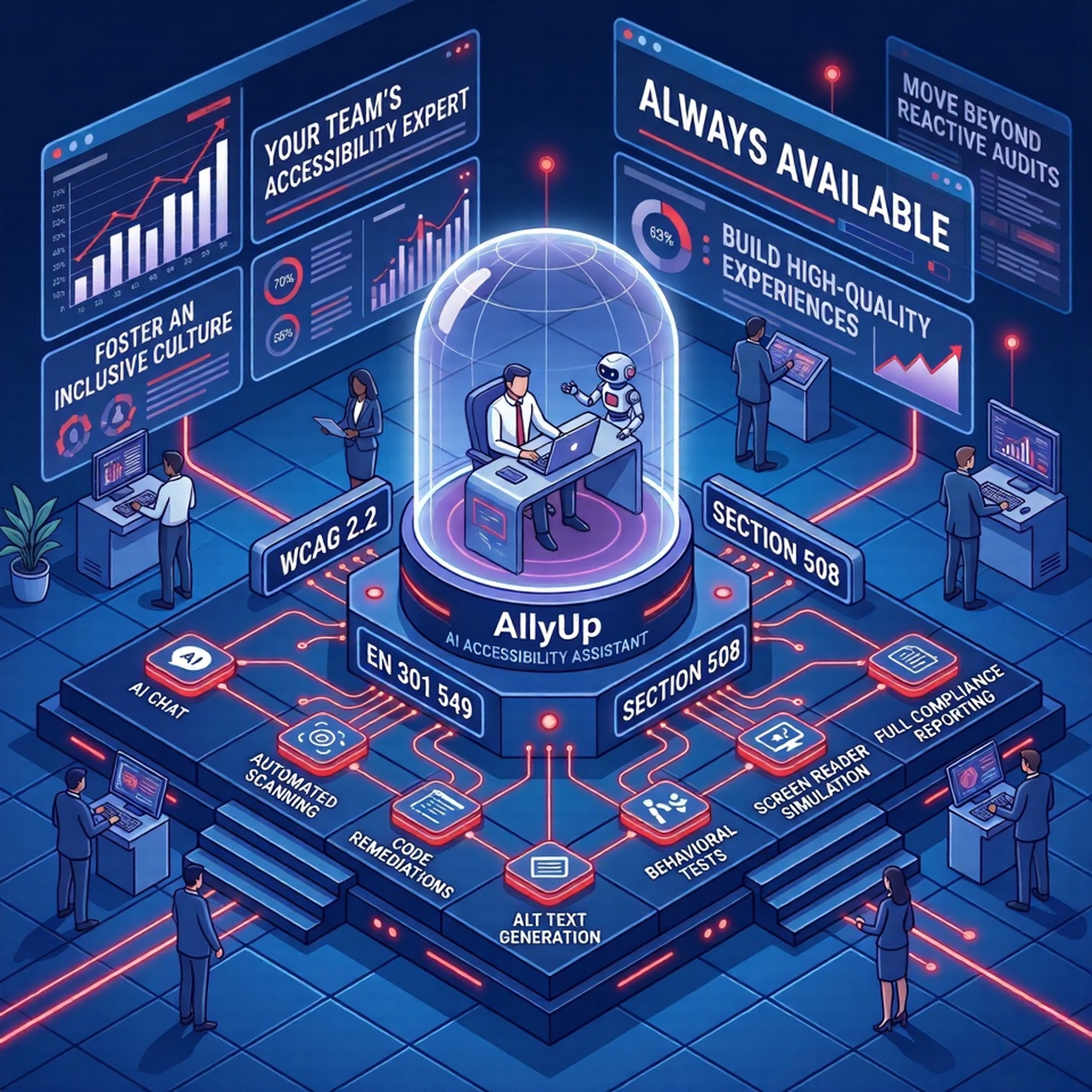
AllyUp fits into how your team already works, no training required, no new processes. Ask, scan, review.
How your team uses AllyUp every day
Get set up in minutes
A short guided setup gets you running fast. Name your organisation, then choose how AllyUp gets its AI: switch on AllyUp Managed AI, which runs on Google Gemini 2.5 Flash, the most credit-efficient model, to start instantly with free monthly credits and no API key, or bring your own Google Gemini, OpenAI, or Anthropic Claude key. AllyUp validates the key on the spot, and you land straight in the chat ready to ask your first question.
Set up your organisation and invite your team
Create your organisation, then invite teammates by email. Everyone shares the same knowledge base, AI Organisation Profile, and reports, while owner, admin, and member roles keep configuration in the right hands. Belong to several organisations and switch between them in a click.
Ask the AI assistant
Type any accessibility question, WCAG success criteria, EAA obligations, EN 301 549 clause numbers, Section 508 requirements, ARIA patterns, colour contrast, or a specific component. AllyUp answers in plain language, grounded in real standards.
Add your context
Upload your Figma exports, style dictionary, or design token JSON, and AllyUp stores it as persistent context for every chat session and scan on your account. Configure your AI Organisation Profile to shape AllyUp's tone and expertise for your team. The result: every answer references your actual component names, your color tokens, your brand conventions, specific advice about your Button component, your color-primary-600 token, your heading hierarchy.
Scan a page, Quick or Full
Choose a Quick Scan (automated violations in seconds) or a Full Scan (all five phases). Set your scan standard, WCAG 2.1/2.2 AA, EN 301 549 (EAA), Section 508 (US Federal), or RGAA 4.1.2 (France), to get clause numbers and conformance reports specific to your market. Set Linked pages and PDFs to option 2 and AllyUp also scans up to 4 pages linked from your entry URL, plus up to 8 linked PDFs, each saved as its own report.
Run behavioral & screen reader tests
Open the Behavioral Tests tab on the Scans page, where real browsers drive against many routes at once and test the six new-in-WCAG-2.2 success criteria static scans miss: Focus Not Obscured, Dragging Movements, Target Size, Consistent Help, Redundant Entry, and Accessible Authentication. Cookie banners auto-dismiss before testing, per-route screenshots are captured, and a Screen Reader Simulation Narrative shows what assistive technology actually announces on your page.
Review reports, scores & diffs
Every scan includes a Coverage Breakdown, a Composite Score panel tinted by a 5-tier severity scale, and a Visual Regression Diff that auto-compares against your most recent prior scan. A left-rail TOC navigates the report, sections collapse by default so you can drill in on demand, manual-checklist progress shows live inside the score panel, and you can export the full report, every phase included, to CSV or Excel, or push findings straight to Jira.
Simulate colour vision, ship accessible palettes
Open the Colour Vision Studio to see your pages and palettes the way users with deuteranopia, protanopia, tritanopia, deuteranomaly, protanomaly, and achromatopsia do. Build palettes with an NxN contrast matrix and a Confused Pairs detector that flags pairs that collide under any CVD type, preview any URL or uploaded image side by side, generate an AI Palette Report in your locale, and export to CSS variables, JSON, or Figma tokens. Saved palettes get public share links and a 30-day soft-delete trash.
Scan PDFs and generate your accessibility statement
Drop a PDF into chat and AllyUp runs a full PDF/UA (ISO 14289) and EN 301 549 Chapter 10 scan, covering tag structure, headings, tables, lists, form labels, alt text, language, title, and bookmarks, with compare and trends across documents. When you are ready to publish, the built-in 4-step Statement Wizard generates a compliant accessibility statement specific to your product, sector, and conformance level, suitable for EAA (EU), Section 508 (US Federal), or ADA Title III (US) markets, with the applicable standards linked and the relevant enforcement authorities named. Before you publish, a completeness checklist flags any missing required section, and the compliance workspace lets you track known limitations with target dates and record disproportionate-burden assessments.
Fix violations with AI and in-context rule explanations
Every violation card has two shortcuts. Generate Fix produces a ready-to-use code fix to copy or refine. Open in Chat creates a pre-loaded chat with the full WCAG rule explanation, why it matters, how to fix it, and code examples specific to what failed on your page. Use the Alt Text Adviser for images and the Root-Cause Cluster Analyzer to batch-fix related violations.
Bring AllyUp into your code editor
Connect AllyUp to VS Code, Cursor, Claude Code, Windsurf, or any other MCP-compatible tool using one connection URL and an access token from Settings, with nothing to install. From there you can ask accessibility questions, search your knowledge base, scan a URL, get the three most impactful fixes, run behavioral tests, check contrast, and look up WCAG 2.2 criteria without leaving the file you are working in. Every answer stays grounded in your organisation's knowledge base and component library, and code fixes match the stack AllyUp detects in your project.
Schedule scans, get alerted automatically
Set up daily, weekly, or monthly scans for any URL. AllyUp runs them in the background and emails you when violations exceed your threshold, so regressions are caught before your users notice them.
Triage violations, track remediation
Every violation card shows a status dropdown. Mark issues as In Progress, Won't Fix, Accepted Risk, or Fixed. Triages carry forward across scans of the same URL, and Fixed violations are automatically upgraded to Verified Fixed when they no longer appear.
Inside every report
Five phases of analysis, one score you can defend
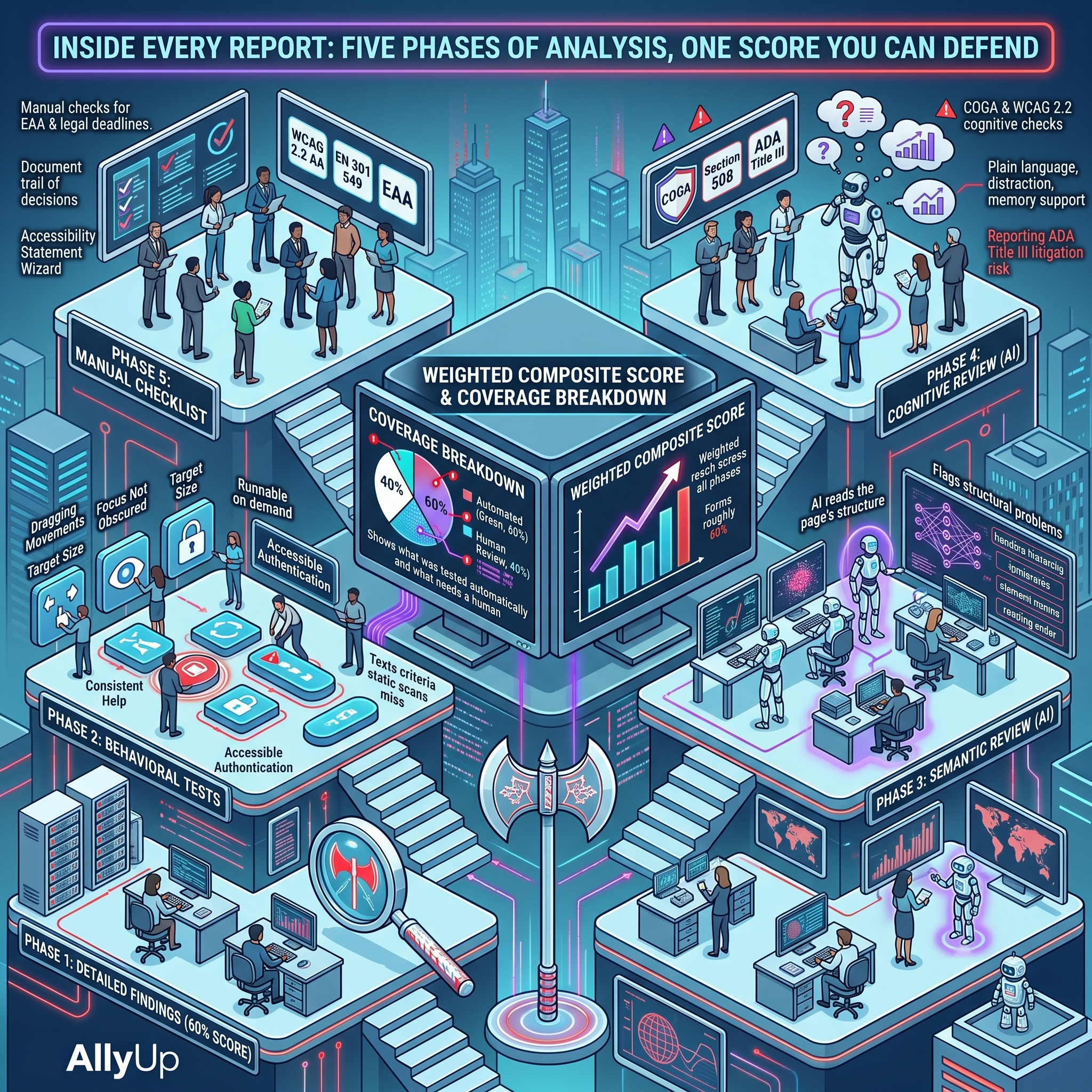
Most scanners hand you a number with no way to judge it. AllyUp runs every page through five distinct phases, then combines them into a weighted Composite Score and a Coverage Breakdown that shows exactly what was tested automatically and what still needs a human. No black box, no false sense of done.
Phase 1 · Detailed Findings
An automated scan tests your page against WCAG 2.1 and 2.2 AA. The axe-core engine catches the majority of issues by volume and forms roughly 60 percent of the Composite Score. AllyUp's own checks run alongside it as Advisory Alerts, flagging what axe-core does not report as prompts for manual review, without affecting your score. Every finding carries a Rule guidance link to its own page, so nobody has to leave the report to find out what failed and how to fix it.
Phase 2 · Behavioral Tests
A real browser drives your page to test the six new-in-WCAG-2.2 success criteria static scans cannot reach: Focus Not Obscured, Dragging Movements, Target Size, Consistent Help, Redundant Entry, and Accessible Authentication. These same checks are also runnable on demand across many routes from the Behavioral Tests tab on the Scans page.
Phase 3 · Semantic Review
AI reads the page's accessibility tree, heading hierarchy, landmarks, element names, and reading order, flagging structural problems that automation alone misses.
Phase 4 · Cognitive Review
AI assesses cognitive accessibility against WCAG 2.2 and W3C COGA guidance: reading level, plain language, error recovery, timing, and distraction, the issues that affect the widest range of users.
Phase 5 · Manual Checklist
A guided checklist for the things only a person can confirm, mapped to WCAG 2.2 AA, EN 301 549, the European Accessibility Act, Section 508, and ADA Title III. Answers are saved to your report and tracked separately from the automated score.
Beyond the URL report
Two more analysis surfaces, each with its own depth
The five-phase report is what AllyUp produces for a single URL. Two dedicated surfaces add the kind of analysis a URL scan cannot do on its own, each with its own report, triage, and audit trail.
Behavioral Tests
A dedicated tab inside Scans that drives real browsers against many routes at once, testing the six new-in-WCAG-2.2 success criteria static scans cannot reach: Focus Not Obscured, Dragging Movements, Target Size, Consistent Help, Redundant Entry, and Accessible Authentication. Cookie banners auto-dismiss before testing, per-route Playwright screenshots are captured, and pass-rate scores, run-vs-run diffs, and triage all mirror the URL Report.
Colour Vision Studio
A dedicated workspace that simulates how your pages and palettes look to users with deuteranopia, protanopia, tritanopia, deuteranomaly, protanomaly, and achromatopsia using the Machado 2009 model. Build palettes with an NxN contrast matrix, a Confused Pairs detector, an AI Palette Report in your locale, exports to CSS variables, JSON, or Figma tokens, 12 preset palettes, public share links, and a 30-day soft-delete trash.
Track your progress
See your score
improve over time
Every scan adds a data point to your Score Trends chart. Watch your Composite Score rise as you remediate issues, share a visual proof of progress with management, and spot any regression the moment it happens.
Why it matters
Catch issues early,
where fixing is cheap
Every accessibility issue caught in design costs roughly 1 unit of effort to fix. The same issue found after launch costs 10× to 30× more, in developer time, legal risk, and reputational damage.
AllyUp puts accessibility expertise into your team hands at the exact moment they are making design and code decisions, not after launch, not in a post-release audit. The default AI behaviour enforces this on every response: Requirements gets pre-design framing, Development gets code-level fixes, QA gets test automation. Shift Left is not a reminder. It is baked in.
Who uses AllyUp
Built for every person who touches your product
Compliance & Legal
Ask about EAA, Section 508, or ADA Title III obligations for your sector, understand your risk exposure, and generate the documentation you need, without waiting for an expert to be available.
Product & Design
Check any component, flow, or wireframe for accessibility. Get WCAG answers grounded in your design system, so components pass first time.
Developers & Engineers
Get specific guidance on ARIA patterns, keyboard interactions, focus management, and component-level WCAG conformance, without leaving your workflow.
QA & Testing
Run automated scans on any URL, compare results over time, and run the full WCAG 2.2 behavioral test suite against your staging environment.
Accessibility Champions
Answer questions from your team confidently and consistently. AllyUp backs you up with standard-grounded responses, so you're never the only expert in the room.
Content & Marketing
Check alt text, heading structure, link labels, and reading level. AllyUp helps content teams understand what accessible content looks and reads like.